
AI Assistant Plugin for TinyMCE and CKEditor
Chat with your document. Review every edit.
Ask about the page, or pick an action for a selection: fix, improve, shorten, change the tone, translate. Txt42 proposes the edits right in your content, and you accept or reject each one. Everything you accept is one undo step.
Editor42 · TinyMCE · N1ED · CKEditor 5 (coming soon) · CKEditor 4
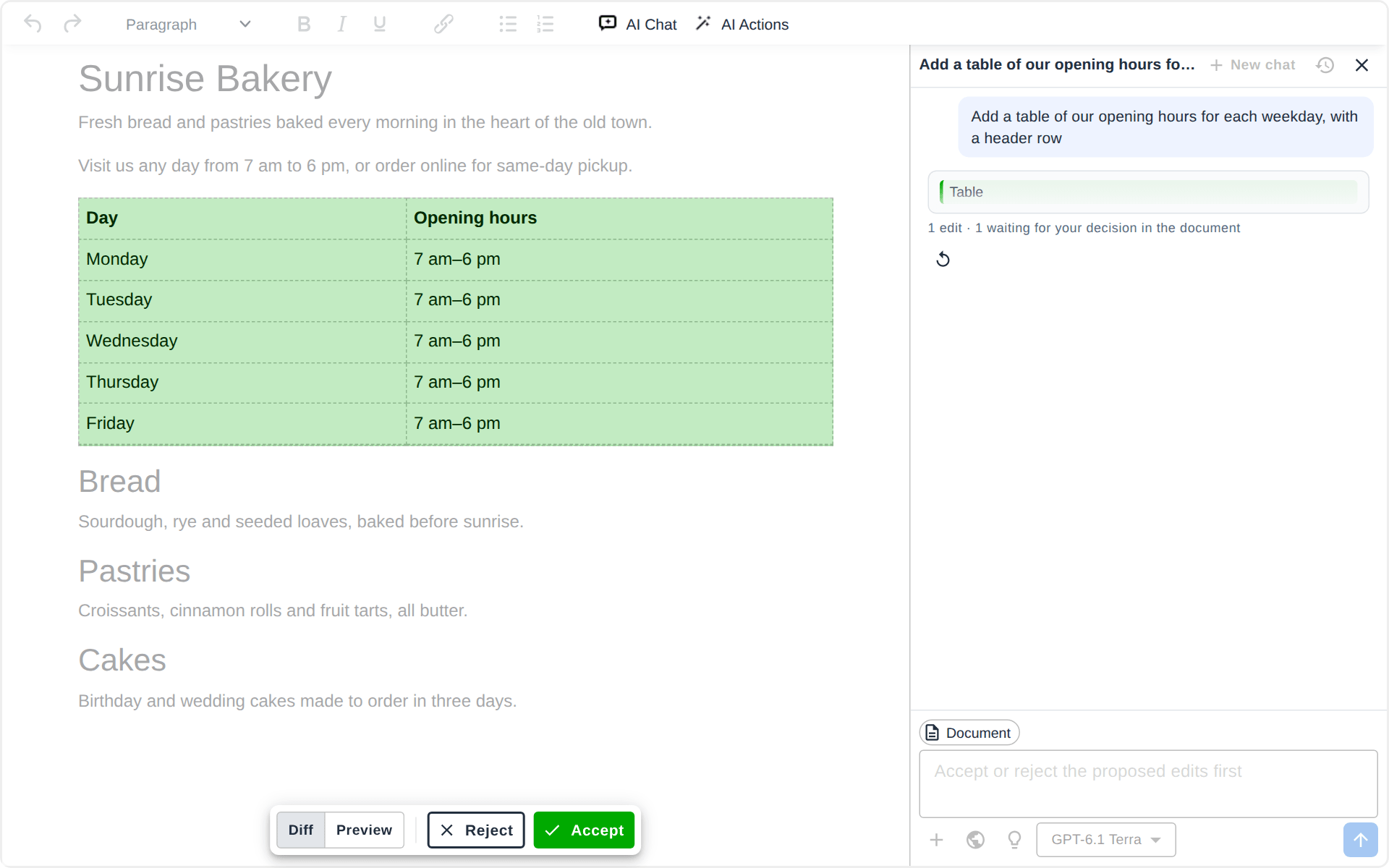
Make a request
Type it in the chat in your own words, or open AI Actions and pick one.
With text selected, Txt42 works on the selection. With nothing selected, it works on the whole document.
See the edits arrive
The proposed changes appear in the content while the answer is written.
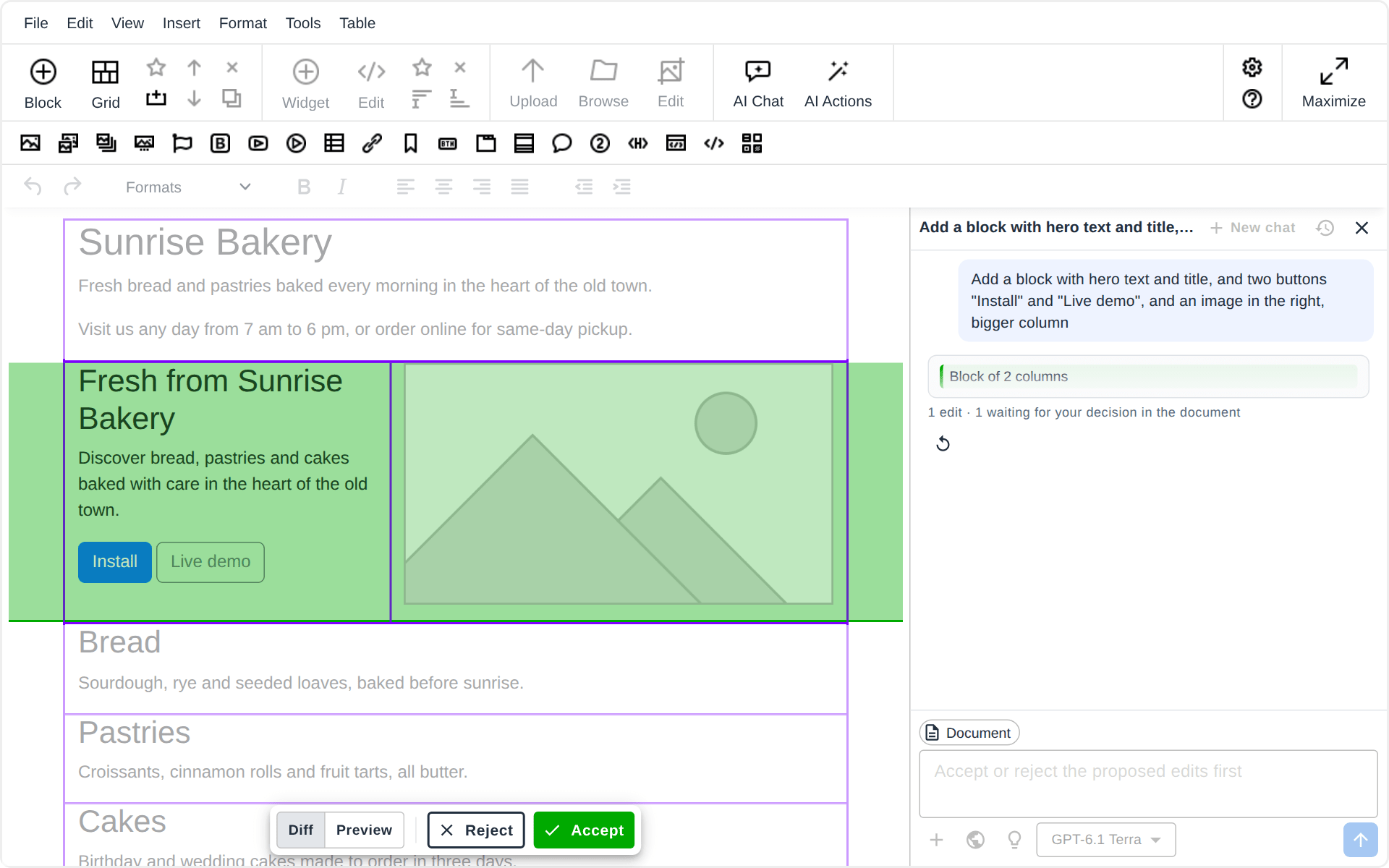
A deletion is marked red, an insertion green. The chat says what the assistant is doing and shows the changed blocks.
Accept or reject
Step through the edits one by one, or take them all at once.
Diff shows the marks; Preview shows the page as it would read. Nothing changes in the content until you decide.
One undo step
What you accepted lands as plain HTML, as if you had typed it.
One Ctrl+Z takes the whole change back. Nothing of Txt42 stays in your content.
Workflow in Action
A Chat Beside Your Document
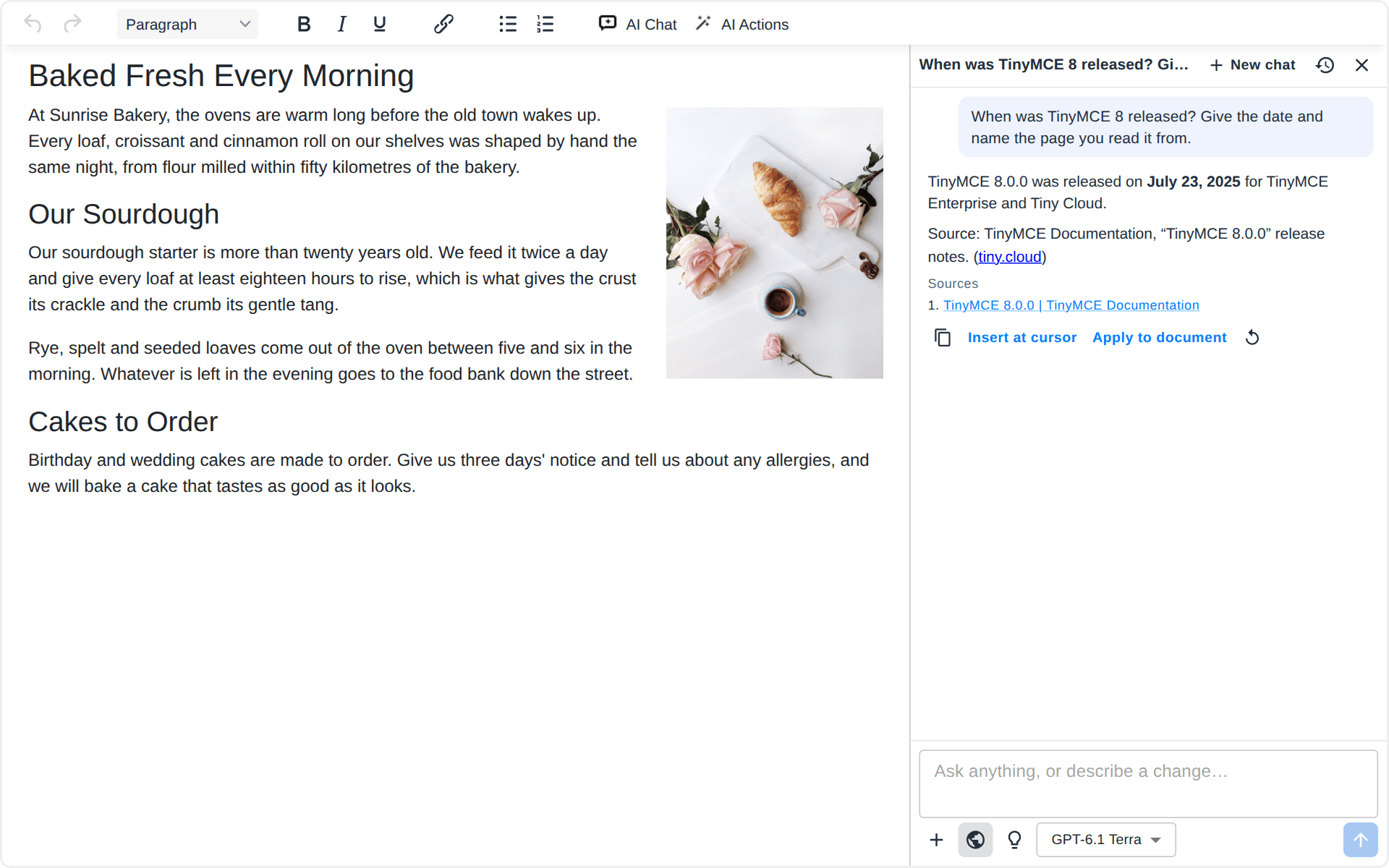
Ask what the page says, what is missing or how to put it better, or ask what only the web knows. Txt42 answers in the chat, or edits the document when you ask for a change. It decides from your words, so there is no mode to switch.
The document goes with every message, and a selection narrows it down. Press Ctrl+J in the content to open the chat.
AI Actions in One Click
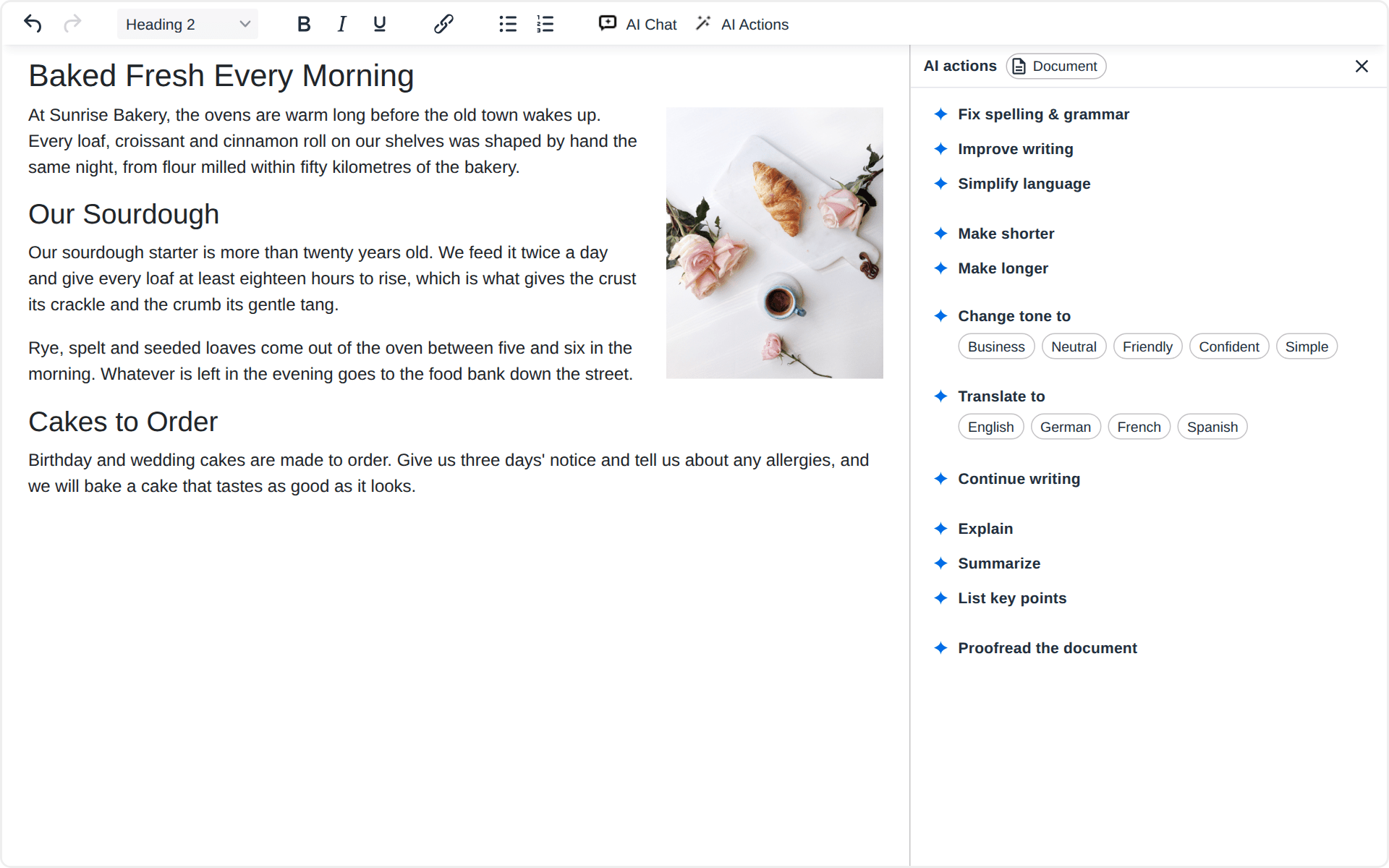
Fix spelling and grammar, improve the writing, simplify the language, make the text shorter or longer, change its tone, translate it, continue writing at the caret, or proofread the whole document.
Explain, Summarize and List key points answer in the panel and leave the text as it is. An action never opens a chat, so a quick fix stays quick.
Review Every Edit Before It Lands
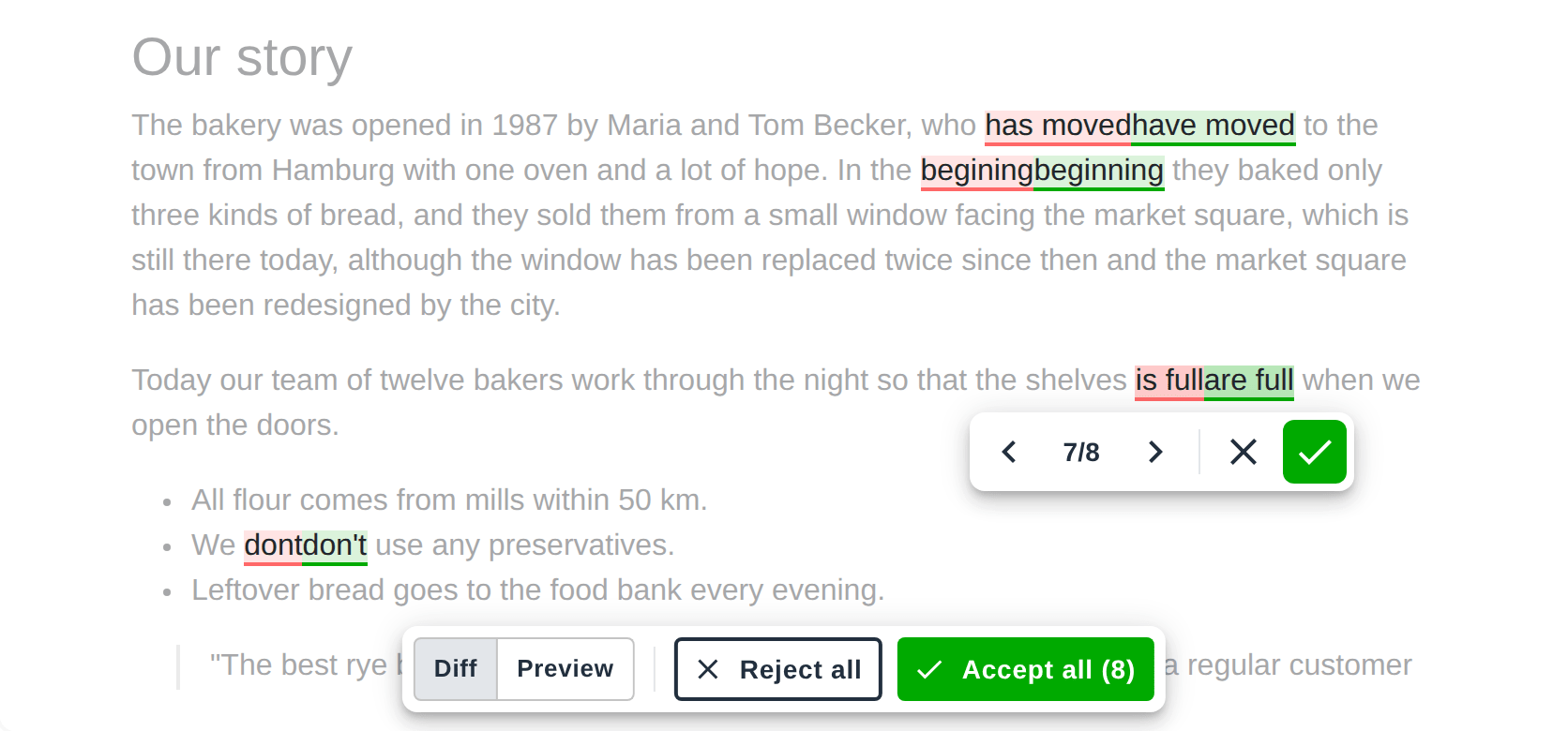
Each proposed change is marked in the content: what goes in red, what comes in green. Walk through them with Previous and Next, accept or reject each one, or decide the rest with Accept all and Reject all.
While you review, the content is read-only, so nothing gets mixed up. When the last edit is decided, the accepted ones are applied together as one undo step.
Files, Links and Web Search
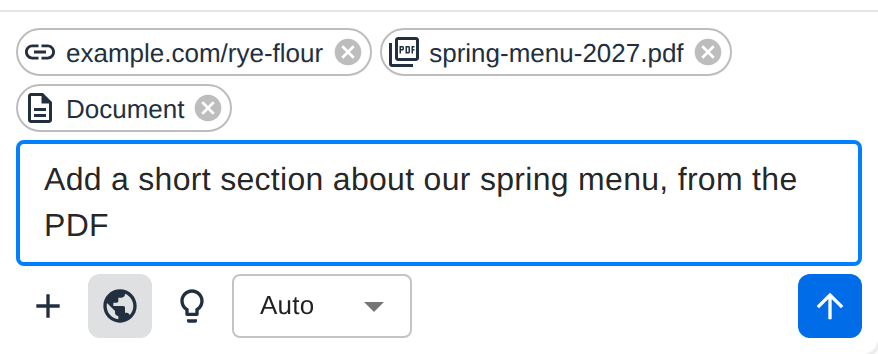
Give the assistant what it should work from: PDF files, images, Word documents and text files, or links to pages it should read. Turn on web search when the answer needs fresh facts.
Your chats and their files stay in your browser, and a chat you reopen still has its files.
Claude, GPT or Gemini
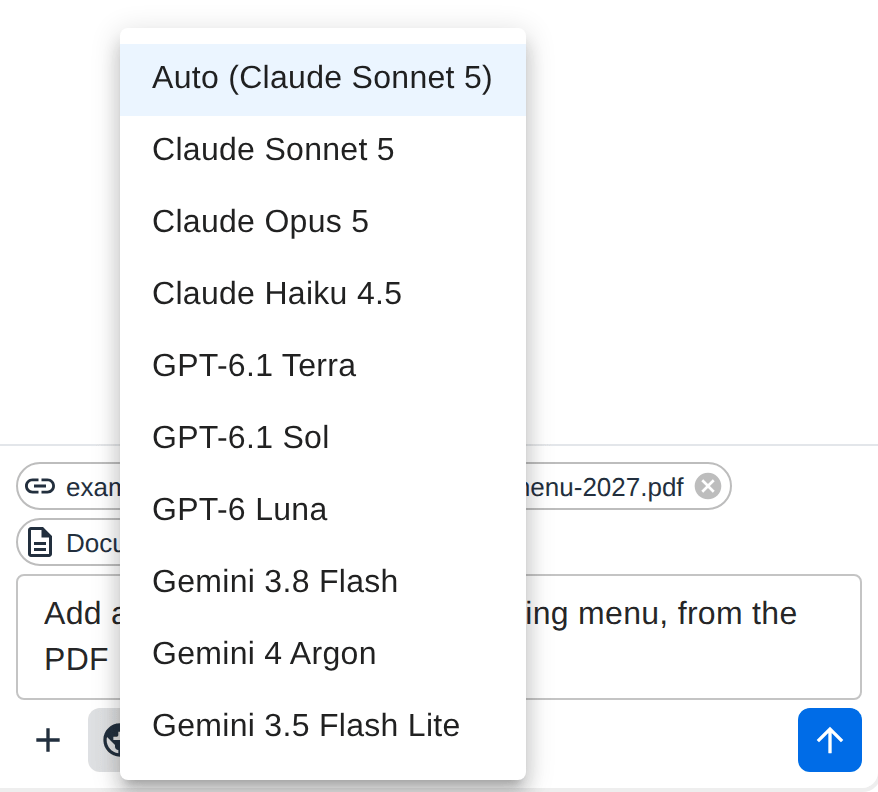
Pick the model per message: Claude from Anthropic, GPT from OpenAI or Gemini from Google. Auto uses the default model of the website, and the bulb asks a model that can reason to think longer before it answers.
Layouts From a Prompt
Txt42 works together with the other plugins of N1ED. With Blk42, which edits the page's Bootstrap or Tailwind grid, it builds layouts from a prompt: ask for a block of three columns with a title and a few words in each, a wider column or one column more, and you get a real grid block, ready to edit.
Your Content Stays Yours
No chats on our servers
The chat history and the files you attach stay in the browser of the person writing. Our AI service passes each message to the model and stores none of it.
Keys never reach the page
The API keys of the AI providers are read by our AI service only. The editor and your visitors never see them.
Plain HTML out
Accepted edits are ordinary content in your own database, with no markup of ours: your pages show exactly what you approved.
What is sent where, step by step: Where your text goes.
Works In the Editor You Already Have



A plugin zip or one script from the CDN, and no change to your content format or your backend. The Drupal and Joomla modules are coming soon too: every installation.
Enterprise: Your Models, Your Keys
Txt42 runs on the AI accounts of your company. You bring the API keys of Anthropic, OpenAI or Google, pay the provider at your own rates, and keep the usage under your own limits.
Bring your own keys
Claude, GPT and Gemini on your provider accounts, or through your own proxy or AI gateway.
Your users, your rules
Sign your users in with a token from your website, set a request limit per user and the length of an answer.
Set up with you
The default model, the chat's greeting and preset prompts, your company's own actions, and guided onboarding by our developers.
Part of the N1ED Family
Txt42 is one of the plugins of N1ED, the toolkit for TinyMCE and CKEditor: Blk42 builds Bootstrap and Tailwind layouts, Flmngr manages files and images, and Txt42 is the AI assistant. Each installs on its own, all run on one API key per website, configured in one Dashboard, and N1ED bundles them together.
Get Started
Txt42 is available today as an Enterprise plan on your own AI keys. The plan for one website, AI included, is coming soon.
See the plans ➔Your own AI keys · Every edit reviewed · No chats stored on our servers
Frequently Asked Questions
What is Txt42?
An AI assistant inside your editor: a chat that knows your document and a panel of AI actions. It proposes its edits right in your content, and you accept or reject each one before anything changes.
Which editors does Txt42 run in?
Editor42, our free TinyMCE fork, TinyMCE and CKEditor 4, inside N1ED too. CKEditor 5 is coming soon, and so are the Drupal and Joomla modules.
Which AI models does it use?
Claude from Anthropic, GPT from OpenAI and Gemini from Google. The person writing picks the model per message, or leaves it on Auto, the default model of the website. On an Enterprise plan the models are those of the providers you have keys for.
What does bring your own key (BYOK) mean?
Txt42 runs on the API keys of your own Anthropic, OpenAI or Google account: the providers bill the AI usage to you, at your rates, under your limits. BYOK is part of the Enterprise plan. The plan for one website comes with AI included instead, so it needs no key of your own.
What is sent to the AI?
Your message or the action you picked, the document (its text and structure) or the selection, the recent messages of the chat, and the files and links you attached. It goes through our AI service to the provider of the model you picked, and nothing of it is stored on our side. Where your text goes.
Does it change my content format?
No. Accepted edits are plain HTML in your editor, the same as text you typed, and Txt42 adds nothing to your database schema or to your pages' markup.
When can I buy Txt42 for one website?
Soon. The plan for one website includes the AI usage, so you will not need a provider account. Until it opens, the Enterprise plan is available on your own AI keys.